Task Dashboard
Route: /tm · Edition: Community+
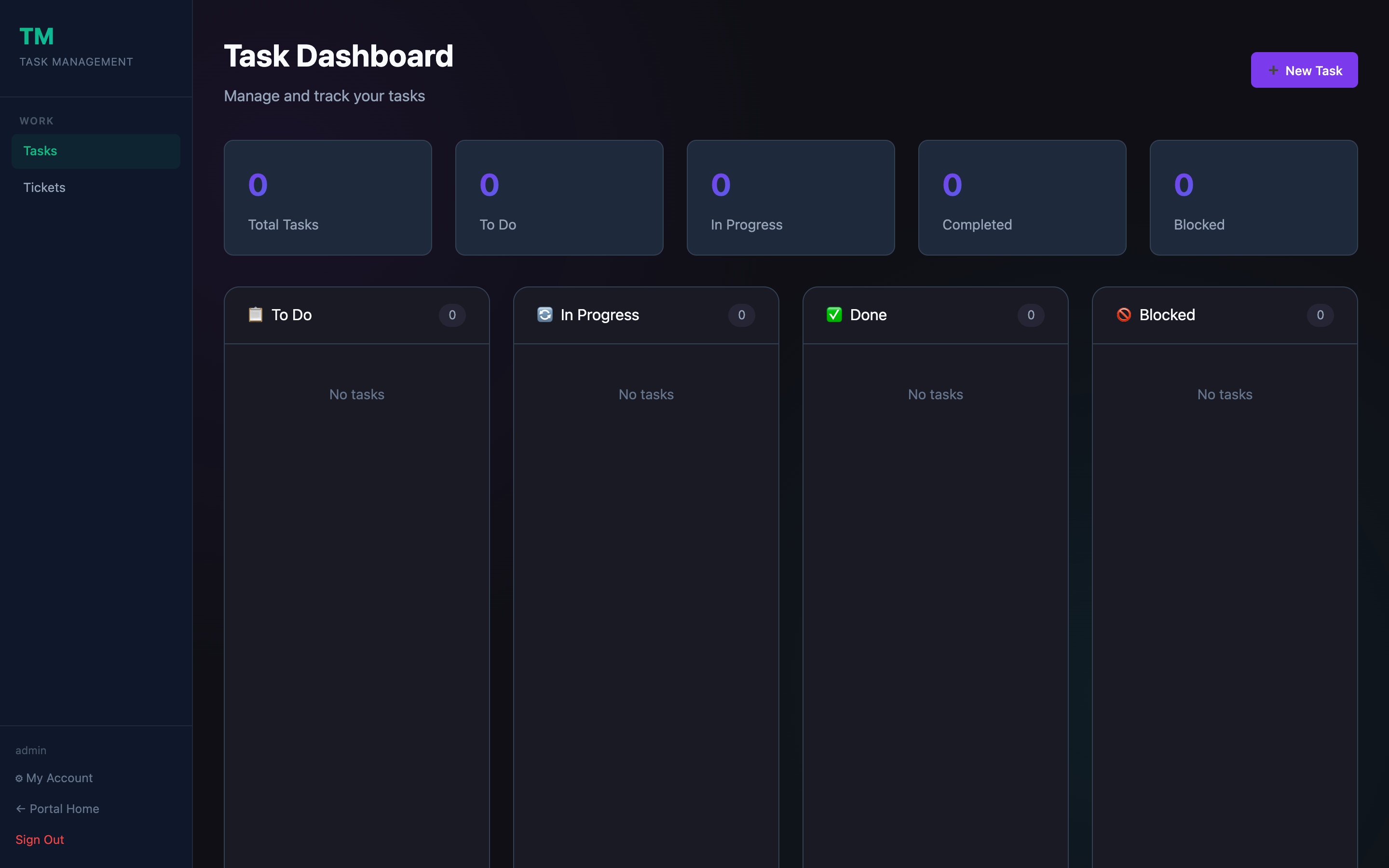
The Task Dashboard is your personal work hub. It combines a kanban board for your own tasks with quick access to JIRA ticket sync and scan-based task creation.
What's on the dashboard
Kanban board
Tasks are organized into four columns: To Do, In Progress, In Review, and Done. Drag cards between columns to update status instantly.
Task cards
Each card shows:
- Title and description preview
- Priority badge (Critical / High / Medium / Low)
- Due date (highlighted red if overdue)
- JIRA ticket link (if synced)
- Assignee and team label
Quick create
Click + New Task in the top-right to open the task creation form directly from the dashboard without leaving the kanban view.
Stats bar
A summary row at the top shows open, in-progress, and overdue counts at a glance.
Actions
| Action | How |
|---|---|
| Create task | + New Task button or drag a card into a column |
| Move task | Drag the card to the target column |
| Edit task | Click the card title |
| Delete task | Open the card → overflow menu → Delete |
| Filter by priority | Priority filter in the toolbar |
| Filter by due date | Date range picker in the toolbar |