Incidents (All Incidents)
Route: /drm/disasters · Edition: Community+
The incidents list shows every disaster/incident record with filtering, search, and bulk actions.
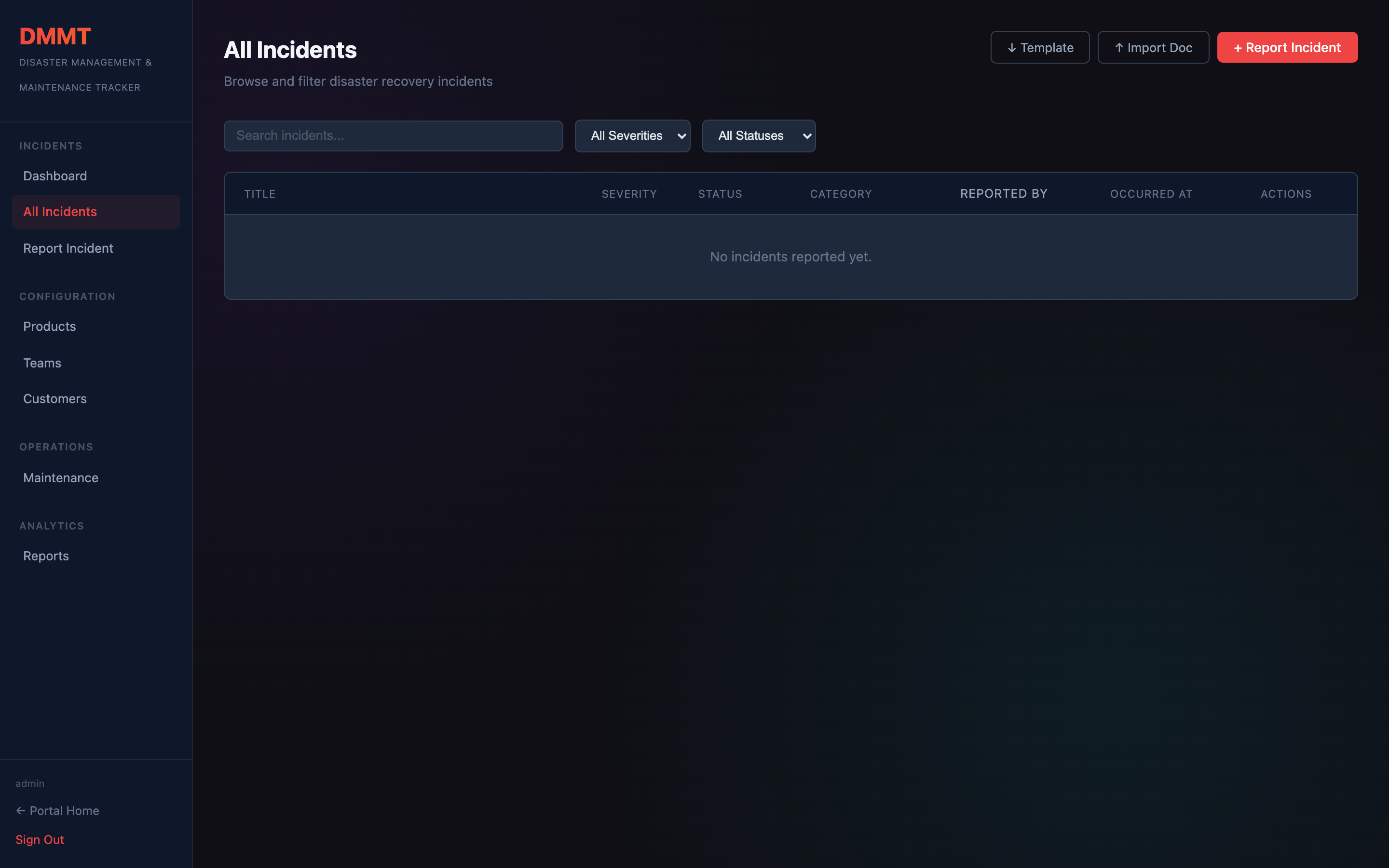
Filters
| Filter | Options |
|---|---|
| Status | Open · Investigating · Resolved · Closed |
| Severity | Critical · High · Medium · Low |
| Product | Any product in your catalog |
| Date range | Custom start/end picker |
| Search | Full-text on title and description |
Incident row
Each row shows: severity badge, title, affected product(s), owner, status, and time since creation. Click a row to open the full incident detail page.
Creating an incident
Click + Report Incident to open the incident form.
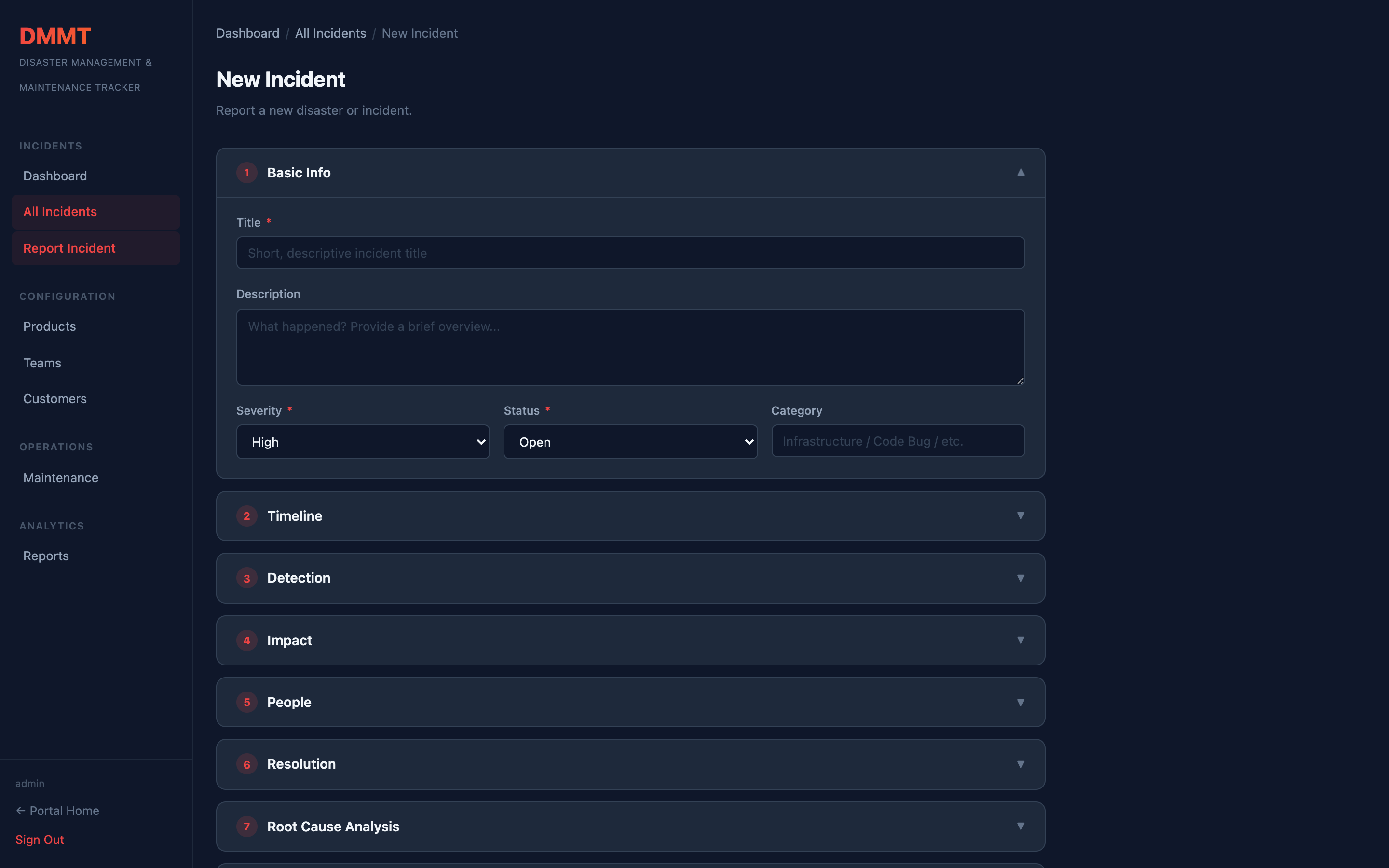
Required fields
| Field | Description |
|---|---|
| Title | Short description of what happened |
| Severity | Critical / High / Medium / Low |
| Status | Initial state (usually Open or Investigating) |
| Description | Full narrative — supports markdown |
Optional fields
- Affected Products — link to one or more products from your catalog
- Affected Services — specific services involved
- Affected Customers — customer segments impacted
- Root Cause — initial hypothesis or confirmed RCA
- Action Items — remediation steps with assignees and due dates
- Timeline events — chronological log of what happened and when
Incident detail
Opening an incident shows:
- Full description and RCA
- Timeline of events (sortable)
- Action items with status tracking
- Affected products / services / customers
- Comments thread
- AI-generated summary (if configured)